
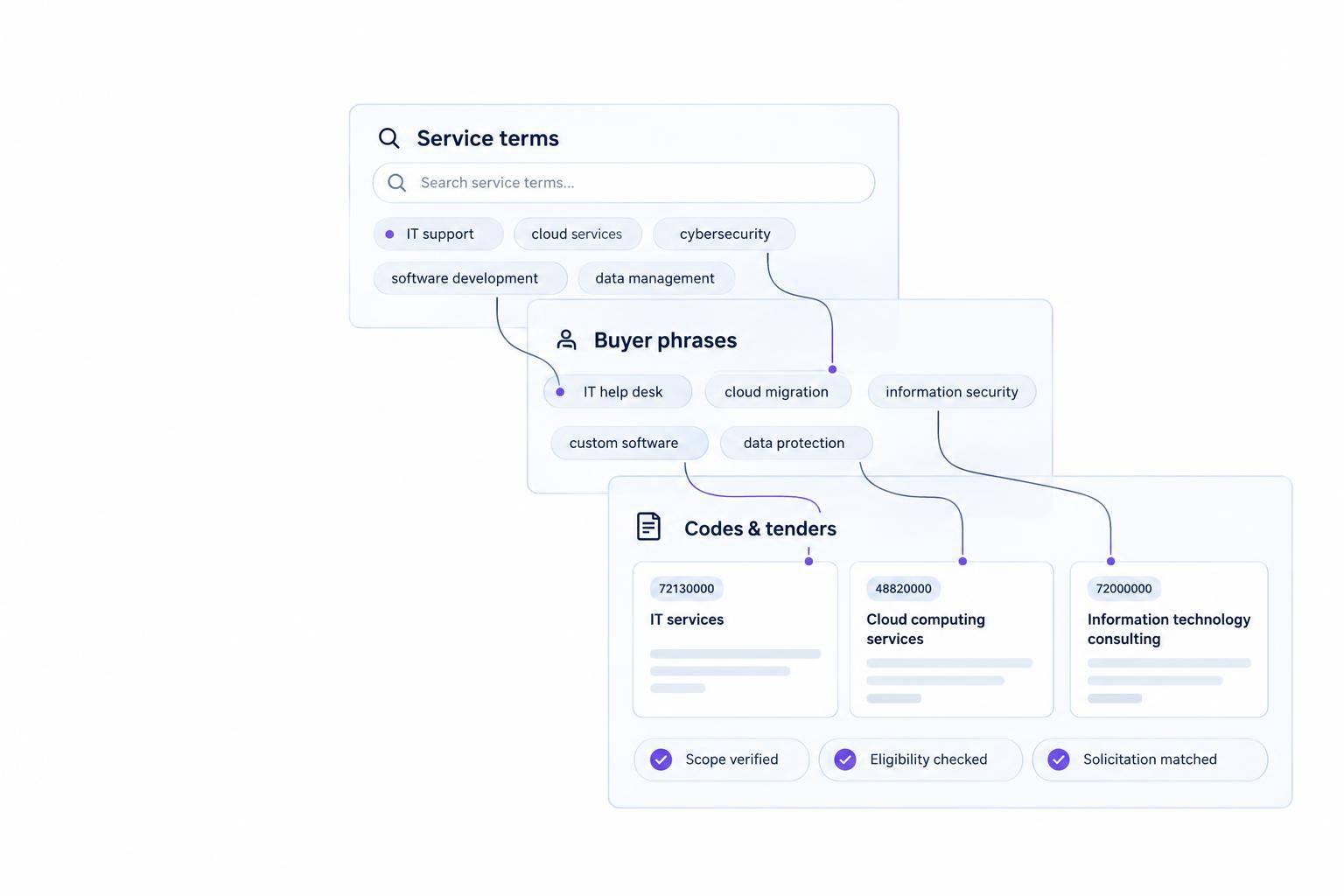
I use AI bid search to find relevant tenders – not to confirm eligibility. I start with 2 searches: one using service and scope terms, and another using procurement codes. Then I check each lead against the original solicitation.
Here’s the process I follow:
- Describe the work: Keep services separate from buyer, location, budget, and deadline filters.
- Match the buyer’s wording: Connect terms like “office renovation” with tenant improvement, then read the scope – not just the title.
- Refine the results: Compare keywords, codes, and AI recommendations. In Narwin.ai, keep the Company Profile and Special Instructions current.
- Check before bidding: Verify licenses, certifications, contract terms, deadlines, and amendments. Search federal, state, local, or private sources as needed.
My rule: <u>a high match score is a reason to review a bid, not a reason to assume I qualify.</u>
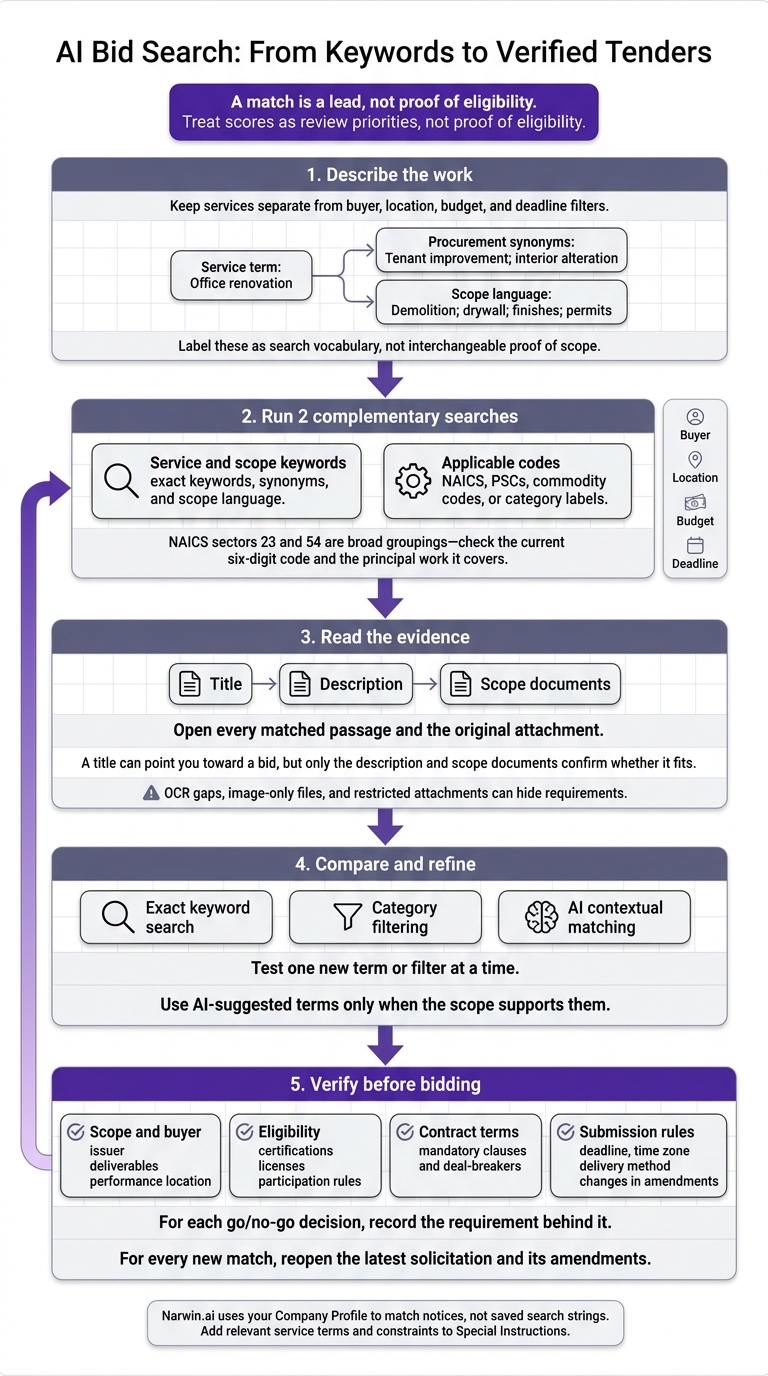
AI Bid Search: From Keywords to Verified Tenders
2. Map Keywords to Tender Language
Once you know your service, translate it into the words buyers use.
Check Titles, Descriptions, and Scope Documents
Each field tells you something different. The title signals what the buyer wants to purchase. The description identifies the buyer, location, contract type, objectives, and deliverables. Scope documents spell out staffing, service levels, materials, milestones, and submission requirements.
A title can point you toward a bid, but only the description and scope documents confirm whether it fits.
Open every matched passage and the original attachment. OCR gaps, image-only files, and restricted attachments can hide requirements.
Map Service Terms to Synonyms and Categories
Keep your original service phrase, then add buyer terminology and related deliverables. These terms help you find more bids, but they may also describe different work.
| Your service term | Procurement synonym | Category term | Scope language | Search use |
|---|---|---|---|---|
| Managed cybersecurity | Managed security services; SOC services; cyber defense | Information technology; professional, scientific, and technical services | 24/7 monitoring; incident response; SIEM; threat detection | Service terms plus applicable NAICS or agency filters |
| Security monitoring | Continuous security monitoring; network monitoring | Cybersecurity; information security | Alerts; log analysis; escalation; response times | Exact phrase plus cybersecurity context |
| Office renovation | Tenant improvement; interior alteration | Construction; specialty trade contractors | Demolition; drywall; finishes; permits | Renovation terms plus location, project type, or construction code |
| Electrical upgrades | Electrical modernization; lighting retrofit | Electrical contractors; construction | Panels; wiring; lighting; code compliance | Electrical terms plus construction and location filters |
Codes give you another way to search. NAICS sectors 23 and 54 are broad groupings, so check the current six-digit code and the principal work it covers. Buyers may also use PSCs, commodity codes, or category labels.
Combine Exact Keywords With Context
Combine exact keywords, synonyms, category codes, and scope language. Each helps you check relevance from a different angle. Intent matching interprets the buyer’s underlying need.
For “security monitoring,” references to SIEM, log analysis, and threat detection help distinguish cybersecurity from cameras or building systems.
Run two complementary searches: one with service and scope keywords, and another with applicable codes. SAM.gov supports keyword and NAICS searches. Compare the results to find notices with unexpected classifications or different wording.
AI ranking can weigh service overlap, scope evidence, category fit, and location.
Use these mappings in the two sample bid searches below.
sbb-itb-bb3960c
3. Walk Through 2 Sample Bid Searches
Work through each search in this order: search term → buyer language → scope language → eligibility checks.
Government Bids: Managed Cybersecurity in Virginia
Cedar Bridge Services is a fictional Virginia contractor. Its search phrase, “managed cybersecurity and incident response,” maps to buyer terms like “security operations center services” and “managed detection and response.” NAICS 5415 is a starting point – not proof of fit.
These two examples show how keyword mapping works in bid searches, starting with government work and then moving to private projects.
Hypothetical example – not an active opportunity.
Title: “Security Monitoring Services.”
Description: “The agency seeks a contractor to provide continuous cyber threat monitoring, alert triage, and coordinated response support for Virginia facilities.”
Scope excerpt: “Services include SIEM administration, endpoint and network threat detection, escalation of suspected incidents, reporting, and after-hours response.”
Use the title to spot a lead. Read the description to confirm it involves cybersecurity, then check the scope for SIEM, threat detection, and after-hours response duties. Keep the lead if those duties match Cedar Bridge’s capabilities. Otherwise, discard it.
Filter by Virginia place of performance, buyer agency, notice type, deadline, and set-aside status. Then verify the NAICS code, size standard, staffing certifications, and security requirements.
Search SAM.gov, eVA, and local city or county systems. A federal-only search will miss Virginia state and local bids.
Private bids follow the same search process, but buyer terms and eligibility checks change.
Private Bids: Office Renovation and Electrical Upgrades
Hypothetical example – not an active opportunity.
Title: “Office Renovation and Electrical Upgrades.”
Description: “The property owner requests proposals for modernization of a 25,000-square-foot office suite before a planned tenant move-in.”
Scope excerpt: “Work includes selective demolition, permit coordination, new distribution panels, lighting replacement, drywall repair, finish work, inspections, and coordination with the building manager.”
Cedar Bridge’s phrase “office building renovation and electrical upgrades” maps to buyer terms such as tenant improvements, commercial office renovation, interior build-out, electrical modernization, and specialty-trade construction.
The scope describes a multi-trade project involving electrical work, drywall, permitting, and project coordination. Sample filters include a location within 50 miles of Richmond, a budget of $250,000–$1 million, a deadline at least 10 business days away, and completion requirements. Treat missing fields as unknown.
If Cedar Bridge cannot legally perform the electrical work, it should decline, bid as a qualified general contractor, or partner with a licensed electrical subcontractor. Check drawings, insurance, bonding, site visit rules, and access requirements. Private owners may also require vendor registration, prequalification, or a confidentiality agreement.
4. Refine Your Search in Narwin.ai
Refine Queries With Buyer Terminology
Apply the same mapping process from the cybersecurity and renovation examples to narrow your searches: keyword → buyer terminology → scope language → eligibility check.
Test one new term or filter at a time. That way, you can see which change removed a relevant notice. If a filter removes a notice you need, loosen that constraint before adding another.
Use AI-suggested terms only when the scope supports them. Otherwise, check manually. The same rule applies to exclusions: exclude recurring false matches only when the scope supports doing so.
Compare Keyword, Category, and Context Matching
Use all three methods to cross-check your results – not as substitutes for one another. Always compare matches with the original solicitation.
| Method | Best use | Precision risk | Setup effort | May miss |
|---|---|---|---|---|
| Exact keyword search | Specific buyer wording | Ambiguous terms | Low | Synonyms and abbreviations |
| Category filtering | Broader discovery | Broad or incorrect classifications | Identify useful codes | Work classified elsewhere |
| AI contextual matching | Scope-based discovery | Adjacent or unsuitable work | Clear context and review | Obscure wording |
Use Narwin.ai Queries, Filters, and Recommendations
Use Narwin.ai to turn initial matches into a shorter list you can review with more confidence. Apply the same refinement loop to both the Virginia cybersecurity bid and the office renovation bid.
Start with a plain-English description. Then narrow the results with supported keyword, location, due-date, source, country, and category filters. The Opportunities page also lets you sort by posting date or due date. Check the Narwin.ai documentation for current controls and instructions. Coverage is broad, but it doesn’t include every opportunity.
Compare manual search results with AI Bid Recommendations. Read each recommendation summary to understand why the notice appeared, and keep your company profile’s capabilities, certifications, and past project descriptions accurate.
Treat scores as review priorities, not proof of eligibility. Before saving, check that the search still returns the intended work without excluding relevant notices.
5. Verify Bids and Save Your Search
When a search turns up a strong lead, check the solicitation before saving the search. Keep the service terms, buyer language, classifications, and filters that led to it. A match is a lead, not proof of eligibility.
Check Scope, Eligibility, and Deadline Rules
Before you spend time on a proposal, turn the solicitation into a short compliance checklist:
- Scope and buyer: Confirm the issuer, deliverables, and performance location.
- Eligibility: Check certifications, licenses, and participation rules against your company records.
- Contract terms: Flag mandatory clauses and deal-breakers.
- Submission rules: Verify the deadline, time zone, delivery method, and any changes in amendments.
For each go/no-go decision, record the requirement behind it.
Once you’ve checked the solicitation, save only the terms and filters that consistently return relevant notices. Keep the strongest service terms and constraints in your notes.
Narwin.ai uses your Company Profile to match notices, not saved search strings. Add relevant service terms and constraints to Special Instructions. Update supporting company files whenever your capabilities or certifications change.
For every new match, reopen the latest solicitation and its amendments.
FAQs
What if a relevant tender uses the wrong NAICS code?
If a tender has the wrong NAICS code, don’t rely on code-only matching. Narwin.ai uses semantic matching and keyword clustering to link your plain-language terms to scope, deliverables, and eligibility language across titles, descriptions, and PDFs. Intent and profile-based checks help assess fit even when the code is wrong.
Check the official solicitation to confirm scope and eligibility, especially after amendments or addenda that may change the requirements.
How can I tell if my bid search is too narrow?
Your bid search may be too narrow if you get few results or miss related tenders that use different terms.
For example, searching only for “cloud hosting” can miss “Infrastructure-as-a-Service” bids.
Start with broader, plain-English keywords and related industry terms. Then narrow your results with location, NAICS, or date filters. Narwin.ai also uses semantic matching and match scores to help you find opportunities you might otherwise miss.
How should I handle conflicting tender requirements?
Use Narwin.ai’s Requirement Analysis tab to sort contractual language by category and spot conflicting clauses – without manually reviewing thousands of pages.
Then turn to Chat with RFP to ask targeted questions about unclear language and help clarify what the requirements mean. If a conflict points to a compliance gap, Narwin.ai flags it as a risk so you can address it.