
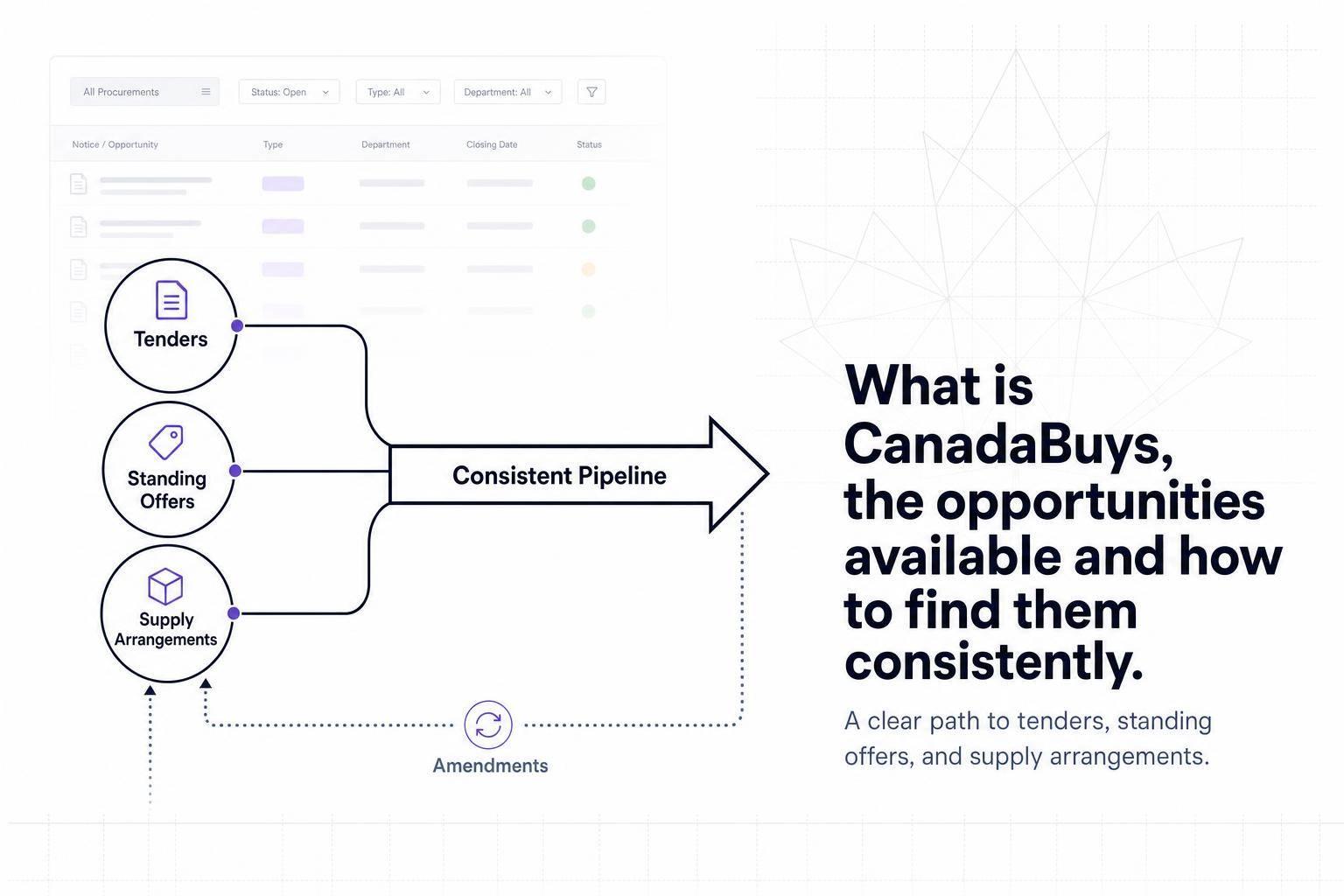
If I want federal contract leads in Canada, CanadaBuys is where I start. It is the Government of Canada’s official site for tenders, award notices, and past contract activity. In plain terms: if a federal requirement is above CA$25,000 for goods or CA$40,000 for services or construction, it will usually show up there.
Here’s the short version:
- CanadaBuys is the main federal procurement portal
- I can find open tenders, amendments, award notices, and contract history
- The main opportunity groups are goods, services, construction, and services tied to goods
- The main buying formats are RFPs, ITTs, Standing Offers, and Supply Arrangements
- The best way to find matches is to use:
- keywords
- buyer names
- solicitation numbers
- UNSPSC codes
- filters for status, location, and dates
- To stay consistent, I need to:
- save searches
- follow notices
- watch amendments
- review alerts in a shared inbox
A few facts stand out. CanadaBuys is run by Public Services and Procurement Canada, uses SAP Ariba for bid access and submission, and publishes new notices and updates every day. That means missing one amendment or one pool intake can cost me a shot at work for months.
Quick comparison
| Item | What it tells me | What I should do |
|---|---|---|
| Open Tenders | Live bid opportunities | Review now |
| Amendments | Scope or deadline changes | Check right away |
| Award Notices | Who won | Study competitors and pricing patterns |
| Contract History | Past buying activity | Look for repeat demand |
| Format | How it works | What to watch for |
|---|---|---|
| RFP / ITT | One bid for one job | Heavier bid effort |
| Standing Offer | Pre-set terms, then call-ups | Miss the intake and I may be out |
| Supply Arrangement | Qualify first, then bid later | Pool access matters |
Bottom line: if I want to find CanadaBuys opportunities on a steady basis, I need a simple search system, tight filters, and a way to track updates without relying on memory.
sbb-itb-bb3960c
How CanadaBuys works as Canada’s official procurement portal
CanadaBuys is run by Public Services and Procurement Canada (PSPC). It’s the Canadian federal government’s main portal for tender notices, award notices, and contract history.
The system runs on SAP Ariba, which handles bid submission and document management. Suppliers register in SRI, then use an SAP Ariba account to open documents and submit bids.
There’s also a clear posting threshold. Requirements above $25,000 for goods or above $40,000 for services and construction must be posted on CanadaBuys. That rule shapes what shows up in search results and which files you may need to open by hand.
What buyers and notices you will find on the platform
You’ll find postings from other federal departments and agencies too. Most listings include a solicitation number, buyer contact details, a work scope, and attached bid documents.
These are the notice types bid teams should watch most:
| Notice Type | Why It Matters |
|---|---|
| Open Tenders | Active solicitations currently accepting bids |
| Amendments | Changes to scope, deadlines, or requirements on live tenders |
| Award Notices | Shows who won and what was awarded |
| Contract History | Past procurement activity useful for spotting recurring needs |
One small thing can save a lot of backtracking: check every notice for separate document or submission links. Open each notice link before you look somewhere else for files or bid instructions.
Knowing these notice types makes it easier to filter for live opportunities in the next section.
Who should use CanadaBuys
CanadaBuys is a good fit for government contractors, bid managers, and capture teams going after federal work in construction, IT, professional services, engineering, or goods distribution. International suppliers, including U.S.-based companies, can also register and view opportunities through the portal.
The main opportunity types on CanadaBuys
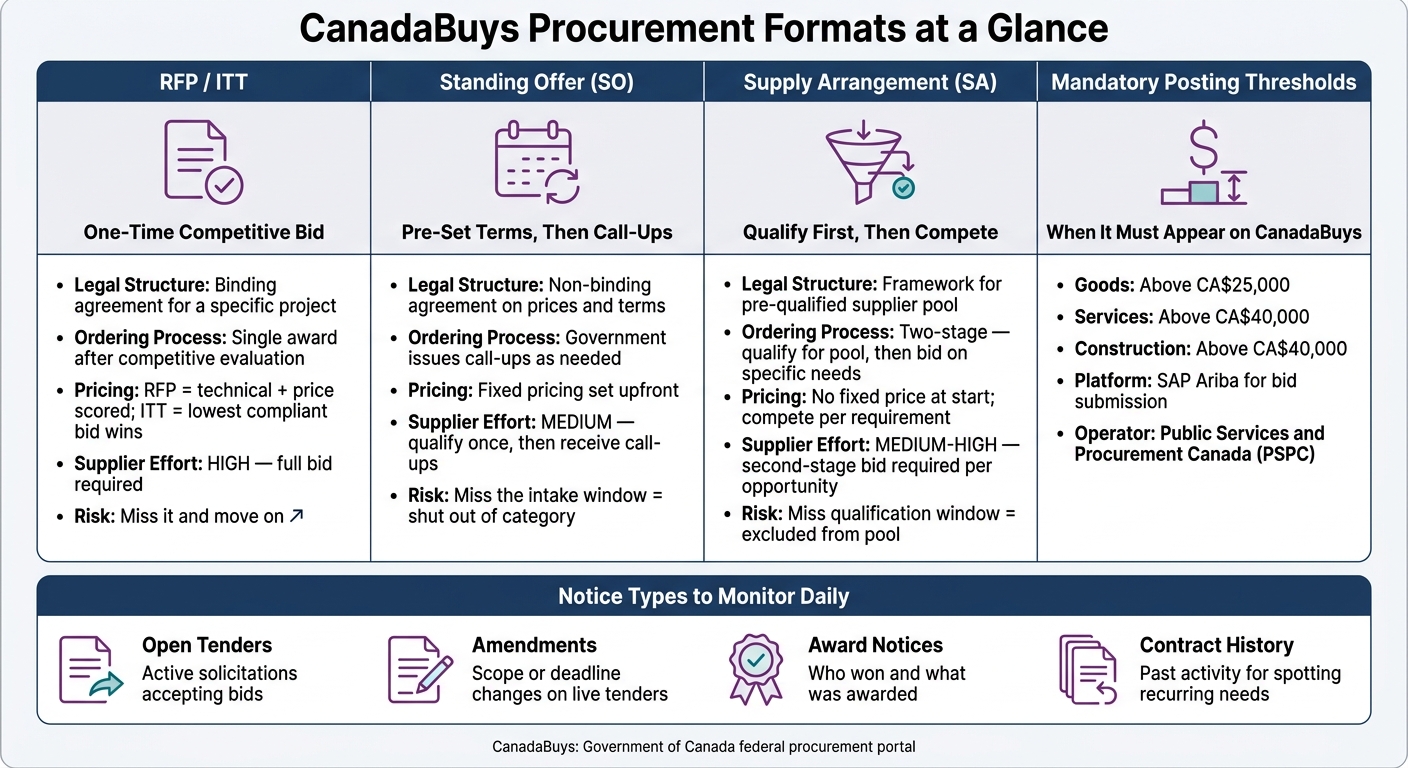
CanadaBuys Procurement Formats Compared: RFP, ITT, Standing Offer & Supply Arrangement
Goods, services, construction, and services related to goods
CanadaBuys groups procurement opportunities into four main categories.
Goods are physical products like equipment, hardware, and office supplies. Services cover work such as IT consulting, project management, advisory support, and janitorial services. Construction includes building projects, civil work, roadwork, and renovations. Services related to goods usually mean installation, maintenance, and repair tied to purchased equipment.
Here’s the simplest way to think about it: the category tells you what the buyer wants, and that should shape how you search.
| Category | Typical Scope | Buyer Needs | Search Strategy |
|---|---|---|---|
| Goods | Equipment, office supplies, hardware | Clear specifications, delivery timelines, and pricing | Search by GSIN/UNSPSC commodity codes or specific product names |
| Services | IT consulting, professional services, janitorial | Expertise, certifications, and past performance | Search by service category, such as TBIPS or SBIPS |
| Construction | Building, roadwork, civil engineering, renovations | Safety records, bonding capacity, and site-specific experience | Search by location and trade type, such as "HVAC" or "earthwork" |
| Services Related to Goods | Maintenance, installation, repair of equipment | Long-term technical support and product-specific knowledge | Search for "maintenance" or "installation" paired with equipment keywords |
A few patterns show up again and again.
- Construction bids often ask for bonding and safety records up front.
- Services bids usually hinge on personnel qualifications and mandatory certifications.
The next distinction is how CanadaBuys awards work, not just what they involve.
RFPs, tenders, standing offers, and supply arrangements
Category tells you what the work is. Award structure tells you how to go after it.
RFPs (Requests for Proposals) and Invitations to Tender (ITTs) are one-time competitive bids for a specific project. RFPs are often scored on a mix of technical merit and price. ITTs, on the other hand, usually go to the lowest compliant bid. In both cases, the bid effort can be heavy.
If the buyer has repeat demand, the setup changes.
Standing Offers (SOs) and Supply Arrangements (SAs) are built for repeat buying, but they don’t work the same way.
A Standing Offer is not a contract on its own. It sets pre-arranged prices and terms for goods or services, and the government issues a call-up when it wants to buy. For suppliers that qualify, standing offers can become a steady source of repeat work.
A Supply Arrangement takes a different route. Suppliers first qualify for a pool. After that, they compete in mini competitions whenever a buyer has a specific need. There’s no fixed price set at the start, so suppliers win work by bidding on each requirement inside the pool.
| Feature | Contract (RFP/ITT) | Standing Offer (SO) | Supply Arrangement (SA) |
|---|---|---|---|
| Legal Structure | Binding agreement for a specific project | Non-binding agreement on prices and terms | Framework for pre-qualified suppliers |
| Ordering Process | One-time award following competitive evaluation | Government issues a call-up as needed | Two-stage process: qualify first, then compete for specific needs |
| Supplier Implications | High effort for a single, defined revenue event | Best for recurring needs; requires fixed pricing upfront | Requires a second-stage bid to win work |
Miss a qualification window for a Standing Offer or Supply Arrangement, and your company can be shut out of that category for a while. That’s why tracking these vehicles matters so much if you want a steady pipeline.
How to find matching opportunities on CanadaBuys consistently
Search by keywords, buyer names, solicitation numbers, and commodity codes
Start with the search bar. CanadaBuys lets you search by keywords, buyer names, solicitation numbers, and UNSPSC codes. Use more than one method if you want to miss fewer opportunities.
Your keywords should match the words buyers use in their statements of work, not the shorthand your team uses in-house. For example, "network monitoring" or "asphalt paving" will usually work better than broad terms like "IT" or "construction." If you need tighter results, put exact phrases in quotation marks. That helps cut out unrelated notices.
It also helps to map your main services to UNSPSC families. Then you can build searches around those codes and catch notices that keyword searches may skip. That matters because some opportunities are tagged well, even when the wording in the notice is a little different from what you expected.
A simple way to build your starting list is to pull your capability statement and past contracts, look for repeated service terms, and pair those with the matching commodity codes. Use that list as your baseline on CanadaBuys. The point isn’t just more coverage. It’s fewer missed matches.
Use filters to narrow by category, status, location, and dates
A raw keyword search on CanadaBuys can bring back more results than most teams can review. Filters turn that pile into something your team can actually work through.
After you run a search, open the Filters panel and add your criteria. Set Status: Open first so you’re looking at active opportunities only. Then narrow things down with a Category filter, such as CNST for construction, a Location filter for the province or territory where you can deliver, and date filters to control the time frame.
Published date and closing date filters are especially useful when you’re trying to manage workload. If you filter for notices published in the last 30 days, you’ll see newer postings without digging through older ones again. If you filter for notices closing in the next 30 days, you can focus on deadlines that need attention now.
The table below shows how different filter combinations map to common bid-team workflows:
| Filter Combination | Example Settings | Best Suited For |
|---|---|---|
| Daily new opportunities triage | Category: Services; Status: Open; Published in the last 30 days | Reviewing fresh service notices without revisiting older postings |
| Regional construction targeting | Category: CNST; Status: Open; Location: Ontario; Closing in the next 30 days | Contractors focused on a specific province with upcoming deadlines |
| Short-deadline scan | Status: Open; Closing date: within next 7 days | Spotting fast-turnaround bids that may have fewer competitors |
Each active filter shows up in a current filters bar. You can clear them one by one, which makes it easy to change one part of the search without starting over.
Follow notices, save searches, and track amendments
Finding one good opportunity is useful. Building a repeatable system is what keeps your pipeline moving.
CanadaBuys lets you follow individual tender notices and saved searches. Both can send email alerts, which means a bid coordinator can review matches from their inbox instead of signing in over and over. When you follow a notice, you’ll get updates if the buyer posts an amendment, extends the deadline, or cancels the solicitation. Saved searches send matching notices to you on their own.
A few habits make this much easier to manage:
- Organize saved searches by business line, target region, or buyer
- Give each search a clear name so your team knows what it’s for
- Send alerts to a shared inbox so coverage doesn’t stop when someone is out
- Review saved searches on a regular basis and remove the ones producing mostly irrelevant results
- Tighten searches that are generating too much noise
Once your manual process is set up, AI can help rank and monitor matches at scale.
Build a repeatable bid-monitoring workflow with AI support
Where manual monitoring breaks down for growing teams
Saved searches and email alerts help at first. But once the number of notices starts climbing, manual review begins to crack.
Here’s the problem: keyword searches often miss wording variations, amendments can slip by, and teams without a clear review process may double up on the same notice – or miss it altogether. CanadaBuys publishes new notices and amendments every day, so the hard part isn’t access. It’s reviewing everything in a steady, disciplined way.
When volume goes up, better review habits matter more than adding more alerts.
How Narwin.ai can extend CanadaBuys discovery
AI can help by pre-screening notices before your team takes a closer look.
Narwin.ai scans CanadaBuys daily, matches notices against your company profile, and assigns a Preliminary Match Score. That gives your team a quick read on fit before spending time on a full review.
It also helps by:
- extracting requirements
- flagging compliance gaps
- supporting faster bid/no-bid decisions
The result is a smoother pipeline, with less time lost on early qualification and fewer good-fit opportunities getting buried.
Conclusion: The simplest way to find CanadaBuys opportunities more reliably
CanadaBuys is the federal source of record for procurement notices. Start with the basics: filters, saved searches, and amendment tracking. When manual review can’t keep up, layer in AI-assisted monitoring.
That mix helps teams find more qualified opportunities and spend less time on weak fits.
FAQs
Do I need to register before I can bid on CanadaBuys?
You can usually search and view opportunities on CanadaBuys for free, even without an account.
But if you want to submit a bid or download the full tender documents, you need to register.
To take part, you’ll need a Canada Revenue Agency business number. In some cases, the contract may also require one of the following:
- a SAP Business Network account with a mandatory questionnaire
- a Procurement Business Number through the Supplier Registration Information system
What you need depends on the contract, so it’s worth checking the requirements before you start.
How often should I check CanadaBuys for new opportunities?
Check CanadaBuys at least twice a week. Why? Because 86% of federal tenders close within two months, and nearly half close within two to four weeks. If you check less often, it gets much easier to miss bids with short response windows.
Regular monitoring also helps you spot amendments to the requirements or deadline changes before they become a problem. Miss one update, and you could end up disqualified over something small but time-sensitive.
For a steady routine, set up daily alerts or use automated tools instead of relying on manual searches alone.
What should I do if I miss a standing offer or supply arrangement intake?
If you miss an intake window for a standing offer or supply arrangement, you usually can’t get work issued under that agreement. These tools are used to pre-qualify vendors for recurring government needs.
To stay ahead of future intakes, use CanadaBuys alerts or AI-assisted tools to watch notices and track upcoming deadlines automatically.