
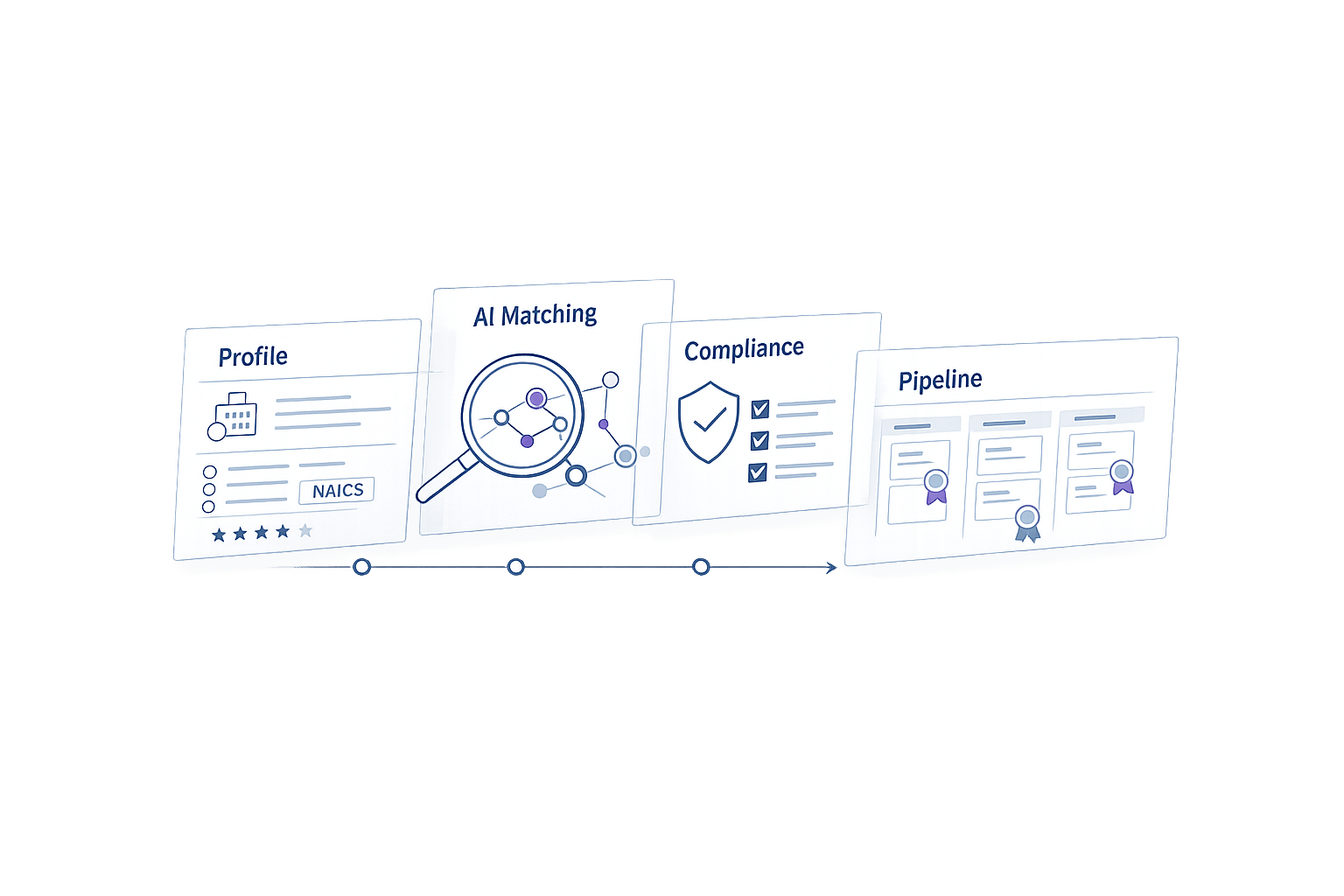
Finding government contracts that fit your business can feel overwhelming, but it doesn’t have to be. Each year, the U.S. government awards over $700 billion in contracts, and state and local opportunities add even more. The key to success? Target contracts that truly align with your qualifications, certifications, and strengths. Here’s how:
- Build a strong company profile: Clearly define your NAICS codes, certifications, past performance, and geographic focus. Make sure all your information is up-to-date on platforms like SAM.gov and the SBA Small Business Search.
- Use procurement databases effectively: Search platforms like SAM.gov (U.S.) and CanadaBuys (Canada) to find opportunities. Apply advanced filters to avoid irrelevant listings.
- Leverage AI tools: Platforms like Narwin.ai can save time by matching contracts to your company’s strengths, analyzing compliance risks, and providing bid/no-bid recommendations.
- Evaluate opportunities carefully: Focus on contracts where you meet at least 60% of requirements. Use tools to assess gaps and risks before committing.
- Stay organized: Build a steady pipeline by monitoring RFPs, Sources Sought notices, and upcoming recompetes.
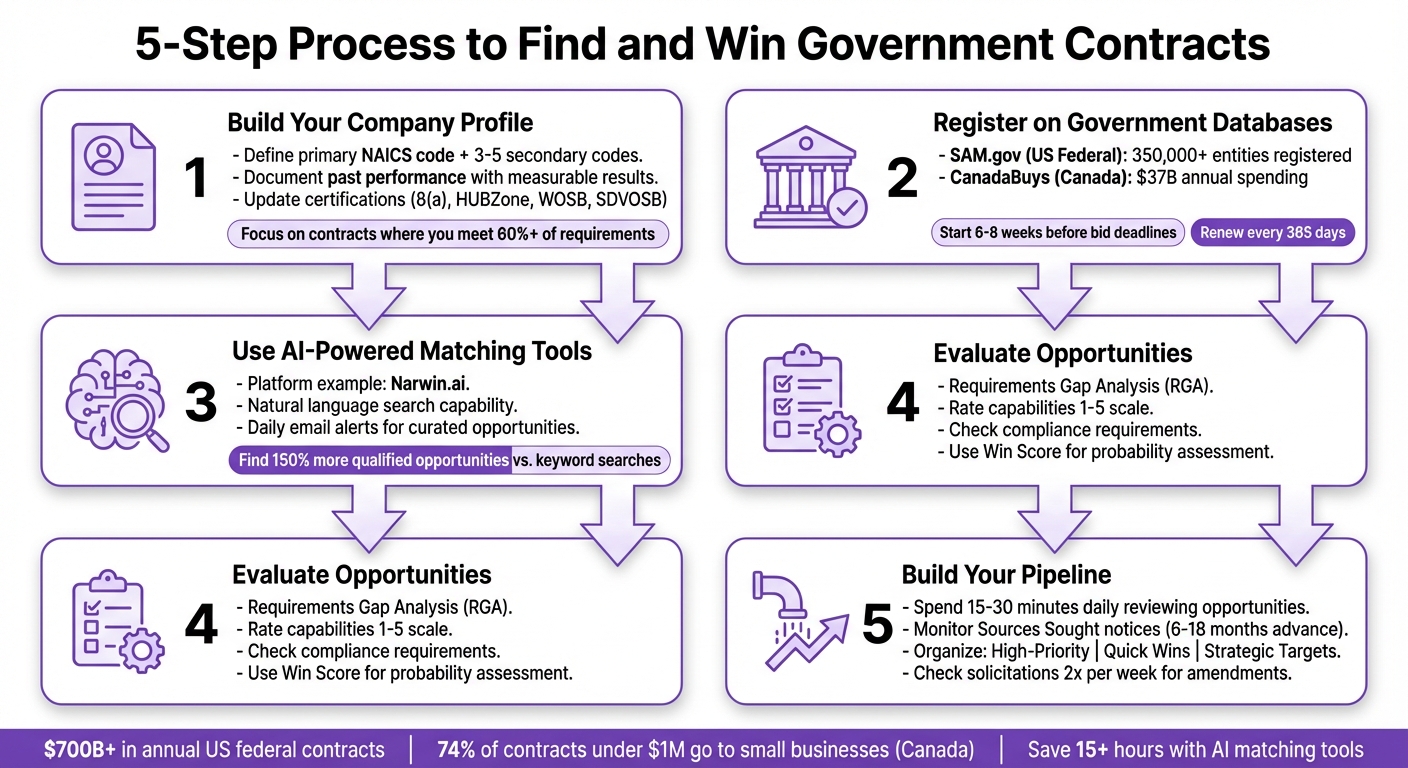
5-Step Process to Find and Win Government Contracts in 2026
How to Prepare Your Company Profile for Government Contracts
Before diving into government contracting, you need a profile that clearly showcases what your business brings to the table. Think of it as your company’s digital resume – used by both AI tools and contracting officers to evaluate your fit for specific opportunities. The more accurate and complete your profile is, the better your chances of being matched with the right contracts.
Define Your Core Capabilities and Experience
Start by identifying your primary NAICS code, along with 3–5 secondary codes that reflect the range of services or products your business offers. For example, a construction company might use 236220 (Commercial and Institutional Building Construction) as its main code, while secondary codes could cover specialized trades like electrical or HVAC work.
Be specific about your technical expertise. Avoid generic descriptions and instead highlight specialized tasks like cloud migration for federal agencies, cybersecurity audits under NIST 800-171 standards, or custom software development using specific frameworks.
If you’ve worked on government contracts before, include detailed past performance examples. Share information such as the client’s name, contract value, project duration, and measurable results. For instance, “Reduced security incidents by 63% in 18 months for a $2.3M Department of Energy contract.” Don’t forget to include CPARS ratings if available, and list current points of contact who can verify your work (name, title, phone, and email).
“Narwin helped us save 15+ hours & generate over $25,000 by participating only where we had a real shot.” – Carter Hawthorniwaite, Director of Operations, App Growth Network
For example, a company in Vancouver used a detailed profile to leverage AI matching tools, saving 15 hours and generating over $25,000 in revenue.
Document Your Certifications and Compliance Requirements
Once your capabilities are defined, make sure your certifications and compliance details are up-to-date and accurate.
First, register on SAM.gov with your UEI, TIN, CAGE code, and banking information. Set a reminder to renew your registration 60 days before it expires – an expired SAM registration will block you from receiving contract awards.
Keep your Representations and Certifications (Reps & Certs) updated. Each time you respond to a solicitation, review and refresh this section to avoid disqualification.
If you’re eligible for socio-economic programs like 8(a), HUBZone, WOSB, or SDVOSB, get certified through the SBA at certify.sba.gov or through the Veteran Small Business Certification portal. These certifications open doors to set-aside contracts, where competition is limited to businesses with similar qualifications. For example, the federal government aims to award at least 5% of contracting dollars to Women-Owned Small Businesses.
Also, claim and update your profile in the SBA Small Business Search (SBS), which replaced the older DSBS directory in mid-2025. Federal buyers now use this modern tool to search for small businesses by NAICS code, set-aside status, and location. If your profile hasn’t been updated since the rebrand, you may not show up in search results.
| Certification Type | Primary Purpose | Key Benefit |
|---|---|---|
| 8(a) Business Development | For socially/economically disadvantaged firms | Access to sole-source contracts |
| HUBZone | For businesses in underutilized areas | 10% price evaluation preference |
| WOSB / EDWOSB | For woman-owned small businesses | Eligible for woman-owned set-asides |
| SDVOSB / VOSB | For veteran-owned small businesses | Veteran-specific contract opportunities |
Specify Your Geographic and Industry Focus Areas
With your capabilities and compliance in order, refine your profile by narrowing down your geographic and industry focus.
Define your geographic focus by identifying regions where your business has the strongest presence or experience. For example, if you’re a Texas-based construction firm, prioritize opportunities in the Southwest. This is especially critical for State and Local (SLED) contracts, which are often hosted on regional portals rather than centralized federal databases.
Your industry focus should go beyond NAICS codes. Highlight the types of projects you excel at, the agencies you’ve worked with, and any specialized technical domains. For instance, an IT company might focus on Department of Defense contracts requiring Secret clearance, while a professional services firm might specialize in program management for civilian agencies.
Modern AI tools use this information to calculate match scores, delivering a tailored list of contracts that align with your strengths. A well-crafted profile ensures you’re positioned for opportunities that fit your expertise and goals.
How to Use Government Procurement Databases
Once your company profile is set up, the next step is diving into procurement databases. These platforms, paired with AI tools for bid discovery, can help you zero in on opportunities and stay ahead of deadlines.
Register on SAM.gov for US Federal Opportunities
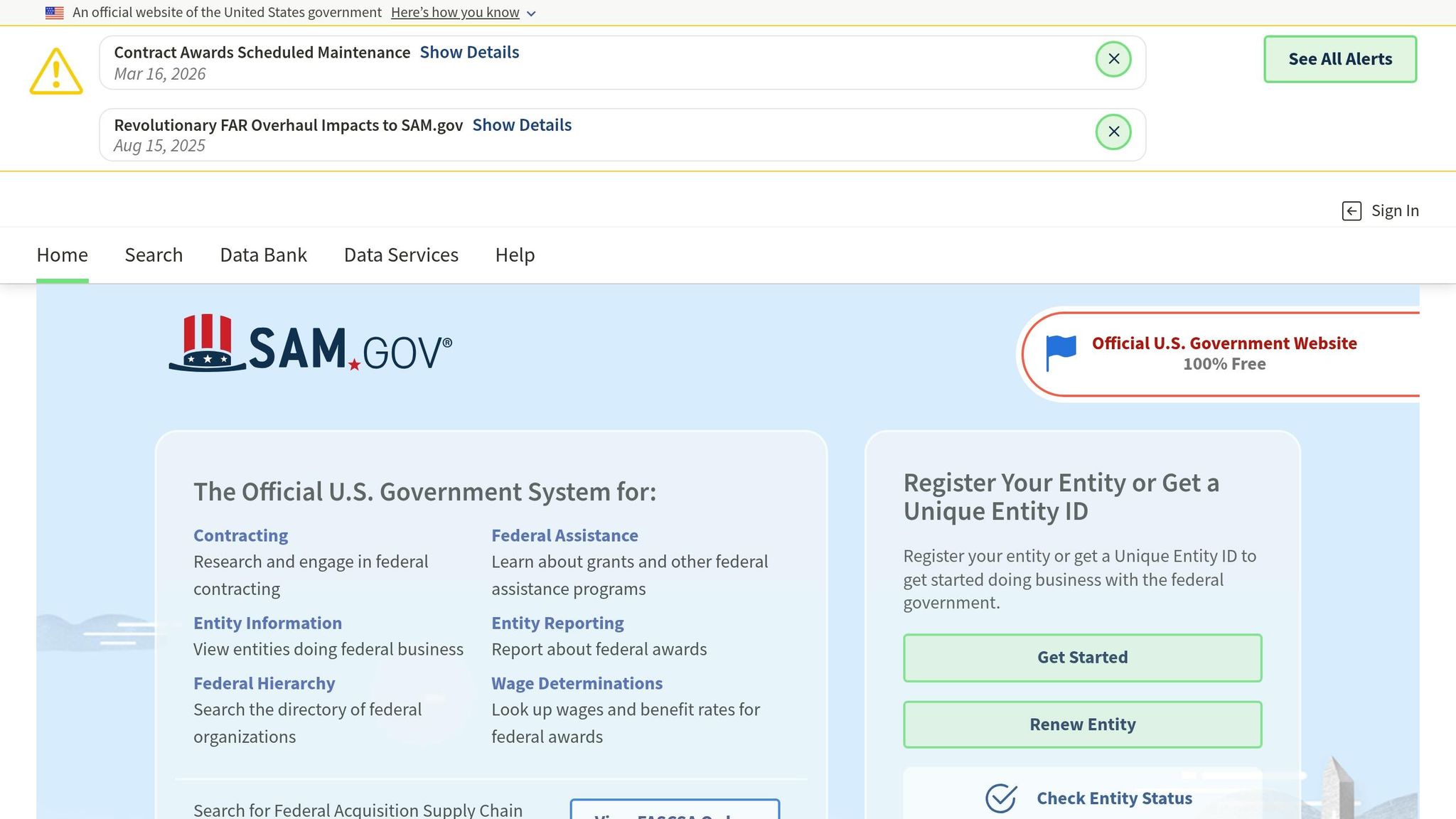
SAM.gov is the go-to platform for businesses aiming to secure U.S. federal contracts. The federal government allocates over $600 billion annually through this system, with more than 350,000 entities actively registered.
To get started, create a Login.gov account with multi-factor authentication, then proceed to SAM.gov. When registering, double-check that all your details – like your legal business name, TIN/EIN, physical address, and banking information – are entered precisely as they appear in IRS records. Even minor mismatches, such as punctuation differences, can delay or reject your application. For instance, “ABC Services LLC” is not the same as “ABC Services L.L.C.” in the system’s eyes.
Plan to begin registration 6–8 weeks before any bid deadlines, as processing can take 2–4 weeks. Keep in mind that registrations expire every 365 days. Set reminders to renew on time, as an inactive registration blocks you from receiving contracts or payments. Also, remember: SAM.gov registration is free. Be cautious of third-party services offering “expedited” registrations for a fee.
Once you’re registered, head to the “Contracting” section and use “Advanced Search” for targeted results. Basic searches can overwhelm you with irrelevant data, so refine your search using filters like “All words” or “Exact phrase” and apply your NAICS codes. Focus on live opportunities by selecting “Solicitation” or “Combined Synopsis/Solicitation” under notice types and narrowing by response dates (e.g., “Next 3 months”).
| Notice Type | Purpose | Action Required |
|---|---|---|
| Sources Sought | Market research to gauge interest | Submit a capability statement to influence set-asides |
| Presolicitation | Advance notice of upcoming RFP | Prepare teaming agreements and draft questions |
| Solicitation | Formal request for proposals (RFP/RFQ) | Submit a full proposal by the deadline |
| Award Notice | Announcement of the winning contractor | Use for competitor research or future insights |
Check active solicitations at least twice a week. Missing updates, like amendments to requirements or deadlines, can lead to disqualification.
For those eyeing Canadian contracts, CanadaBuys is your next stop.
Use CanadaBuys for Canadian Tenders
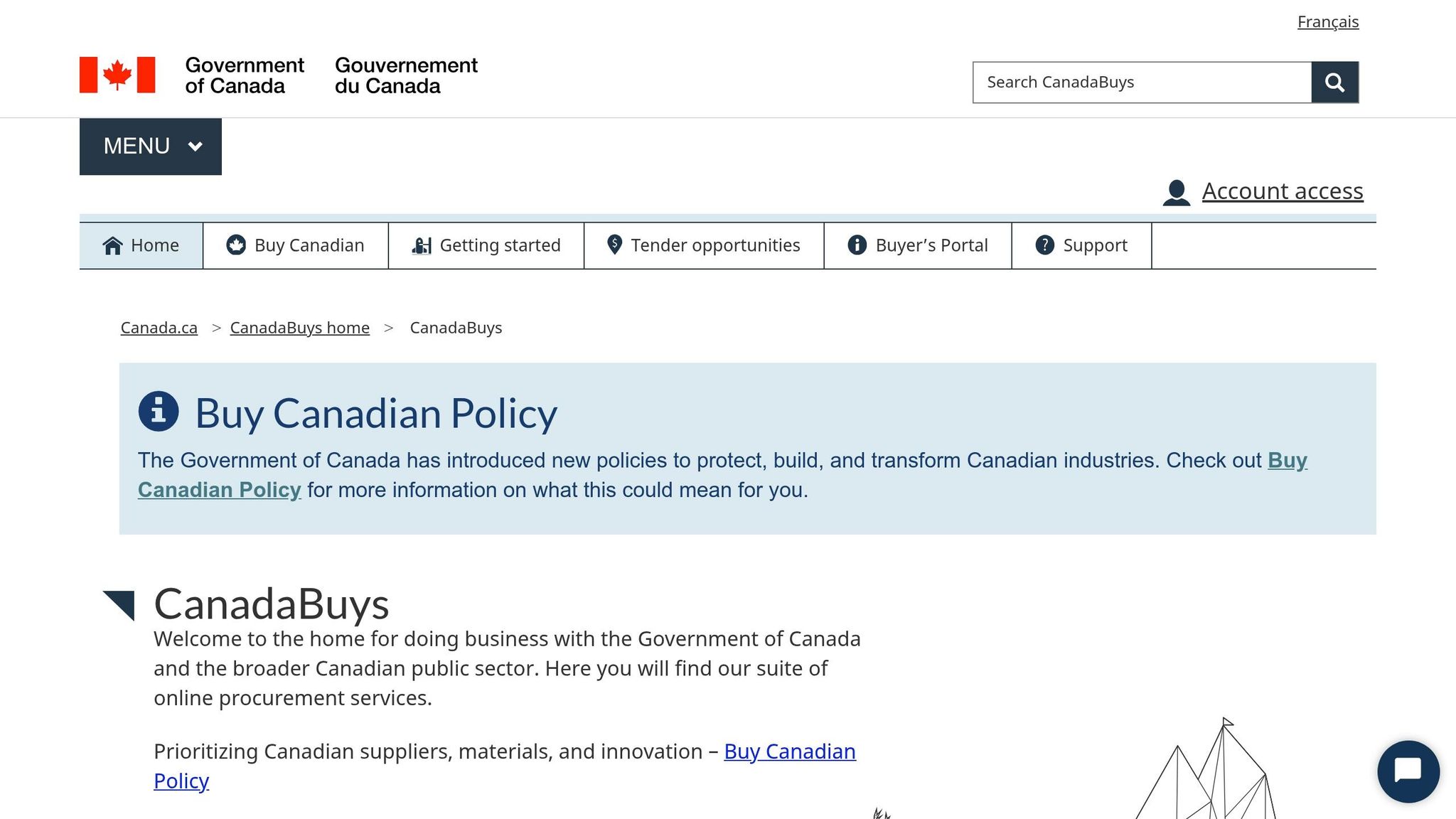
CanadaBuys serves as the official hub for Government of Canada tender and award notices, replacing the older BuyandSell system. The Canadian government spends roughly $37 billion annually on goods and services. Between 2017 and 2020, small businesses secured 74% of contracts under $1 million.
Most opportunities above $25,000 for goods or $40,000 for services and construction are listed on CanadaBuys. The platform covers federal departments, agencies, Crown corporations, and public sector entities like provinces, municipalities, schools, and hospitals. It also connects Canadian businesses to NATO Support and Procurement Agency opportunities, especially for contracts exceeding CAD 120,000.
To bid on opportunities managed by Public Services and Procurement Canada (PSPC), you’ll need an SAP Business Network account. For contracts outside SAP Ariba, ensure you have a Canada Revenue Agency (CRA) business number and a Procurement Business Number (PBN).
Use the “Tender opportunities” page to search by keywords, solicitation numbers, or commodity codes (UNSPSC or GSIN). For precise results, use quotation marks around exact phrases (e.g., “consulting services”). Filters like Status (Open/Awarded), Location, Category, and Date can further refine your search. The “Follow Search” feature allows you to subscribe to email updates for saved searches or specific tenders, ensuring you stay informed about changes or new postings.
If you’re new to bidding, start with “low dollar value” procurements under $25,000. These often follow simpler processes and can be a great way to gain experience. If a bid doesn’t go your way, always request a debriefing from the contracting officer to identify areas for improvement in future proposals.
How to Use Narwin.ai for AI-Powered Bid Discovery and Matching
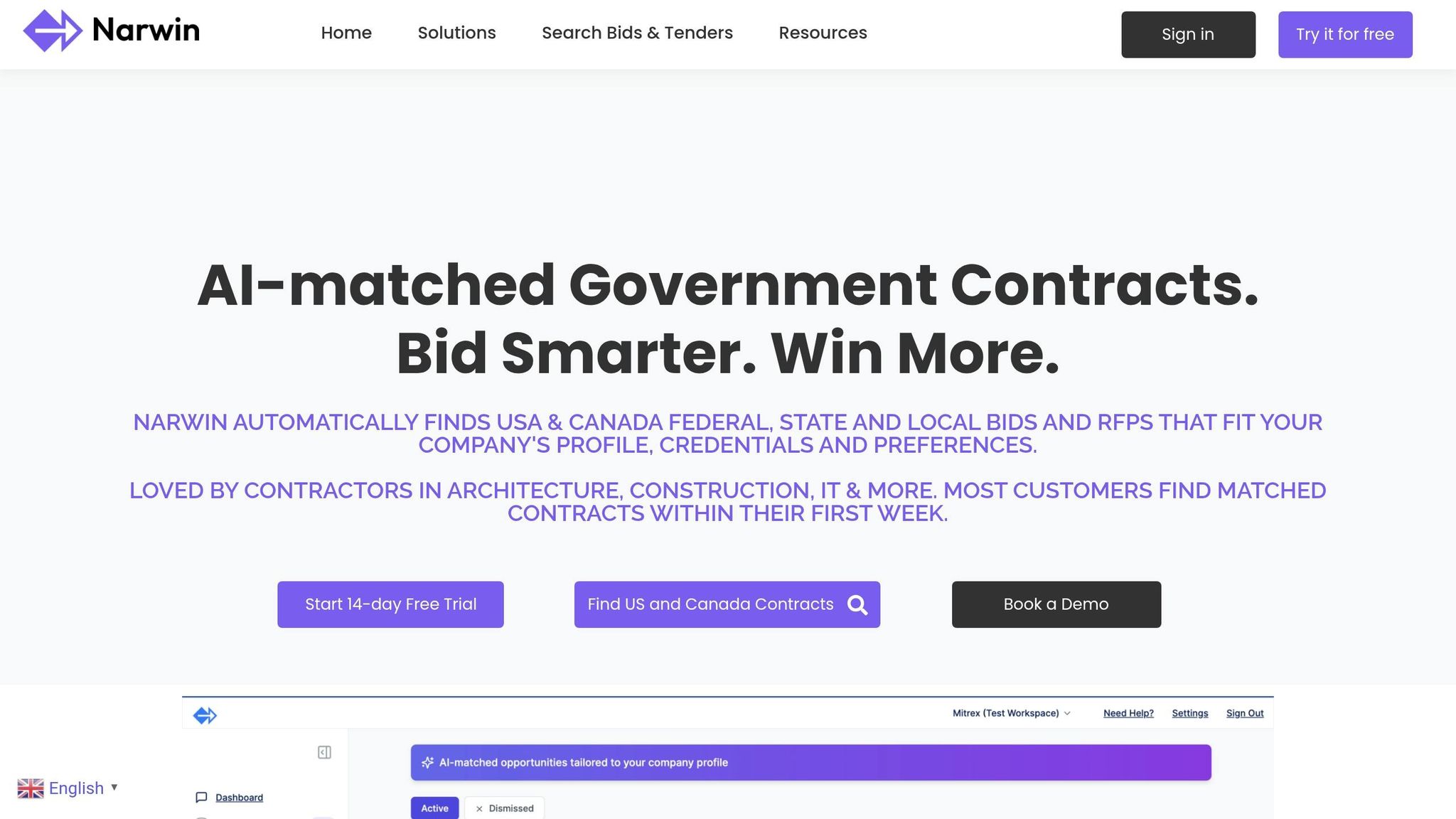
Sorting through traditional procurement databases can be a time sink, especially when you’re trying to identify contracts that align with your qualifications. Platforms like SAM.gov and CanadaBuys offer thousands of opportunities, but manually sifting through them takes significant effort. Narwin.ai simplifies this process by leveraging AI to pinpoint contracts that best match your company’s strengths, saving you time and boosting your chances of success.
AI-Powered Search and Opportunity Matching
Narwin.ai pulls opportunities from sources like SAM.gov, CanadaBuys, and others, using AI to match them to your unique company profile. During the onboarding process, you provide key details – your certifications, past contract wins, geographic focus, and core capabilities. The platform then uses this information to surface opportunities tailored to your expertise.
One standout feature is its natural language search. For example, you can type something like “IT consulting contracts in Texas under $500,000”, and the AI will understand your intent without needing exact keywords or NAICS codes. Additionally, you’ll receive daily email alerts with curated opportunities, eliminating the need for constant manual searches.
Carter Hawthorniwaite, Director of Operations at App Growth Network in Vancouver, shared that Narwin.ai saved his team more than 15 hours of manual work and generated over $25,000 in revenue. By focusing only on bids where they had a strong chance of winning, his team optimized their efforts and even earned referral fees by passing on non-matching opportunities to competitors.
Once the platform identifies potential matches, you can refine the results further using detailed filters.
Filter Opportunities by Match Score and Relevance
Narwin.ai assigns a match score to each opportunity, giving you an instant sense of how well it aligns with your capabilities. Opportunities are ranked based on relevance to your business focus and bidding preferences, ensuring the most suitable contracts appear at the top of your dashboard.
The platform’s Qualification Analyzer takes this a step further by comparing RFP requirements with your certifications, assets, and past successes. It even generates bid/no-bid recommendations, factoring in buyer intent, potential risks, and win likelihood.
Anil Gupta, owner of The Shelter Construction in Kanpur, used Narwin.ai to evaluate large-scale bridge construction tenders. The platform’s risk analysis flagged critical clauses and potential pitfalls, which Gupta said saved his company from costly mistakes. He estimated these insights saved his business 2,000 times the cost of the software subscription by steering clear of high-risk contracts.
Use the Win Score for Opportunity Evaluation
Narwin.ai’s Win Score is a game-changer for evaluating contract opportunities. It estimates your probability of success by analyzing factors like compliance, past performance, buyer behavior, and potential risks. The system benchmarks over 10 metrics to ensure you don’t miss any mandatory requirements, helping you avoid disqualification.
The Shred-to-Comply feature is another time-saver. It breaks down lengthy RFPs – sometimes over 2,000 pages – into actionable insights in under 10 minutes. It highlights compliance requirements, technical questions, deliverables, and potential red flags like problematic clauses or missing certifications. The AI also analyzes buyer intent to determine whether a solicitation is genuinely open or designed for an incumbent.
“Narwin helped us save 15+ hours & generate over $25,000 by participating only where we had a real shot.”
– Carter Hawthorniwaite, Director of Operations, App Growth Network
To further fine-tune results, you can upload past RFPs, case studies, and certifications to the Knowledge Hub. This trains the AI to better understand your company’s strengths and historical performance, improving the accuracy of the Win Score over time. You can also set internal thresholds – like focusing only on opportunities with a score above 70% – to ensure your team’s resources are used wisely.
For those interested, Narwin.ai offers a 14-day free trial to explore its matching and evaluation tools. Many users report finding high-quality opportunities within their first week of using the platform.
sbb-itb-bb3960c
How to Evaluate and Pursue Government Contracts
After pinpointing promising contracts using Narwin.ai, the next step is evaluating which opportunities are worth pursuing. Not every contract will be the right fit, and focusing on those where you have a strong chance of success is key. A structured approach to evaluation can help you avoid wasting time and resources.
Conduct a Fit Analysis
The AI tools mentioned earlier can assist with identifying gaps in your qualifications. A Requirements Gap Analysis (RGA) is a great way to assess your ability to meet a contract’s demands. Start by reviewing the Performance Work Statement (PWS) or Statement of Work (SOW) and rate your ability to handle each task on a scale of 1 to 5. Here’s what the scores mean:
- 1: Minimal experience
- 5: Exceptional strength
If you can’t provide 3–5 strong past-performance examples for the major tasks, consider pursuing the contract as a subcontractor or skipping it altogether.
When bidding as a prime contractor, ensure you can handle at least 60% of the work in-house. If you fall short, check SAM.gov’s “Interested Vendors” list to find potential teaming partners who can help fill the gaps.
| Capability Rating | Definition | Action Recommendation |
|---|---|---|
| 5 | Exceptional strength; dominant in the field | Strong candidate for Prime |
| 4 | Strong capability; multiple past successes | Potential Prime or Lead Sub |
| 3 | Solid but not dominant; limited past performance | Consider Subcontracting |
| 1-2 | Weak or minimal experience | No-Bid or minor Sub role |
Once you’ve confirmed your fit, the next step is addressing compliance requirements to ensure you’re eligible.
Identify and Address Compliance Risks
Compliance issues can derail your efforts, leading to disqualification or even financial penalties. Under the False Claims Act (FCA), the government can recover up to three times its loss plus per-claim penalties for compliance failures. For instance, in June 2024, Guidehouse and Nan McKay and Associates settled with the Department of Justice for more than $11 million due to alleged cybersecurity and service deficiencies.
To avoid such pitfalls, create a compliance matrix that maps each RFP requirement to your proposal. This ensures nothing is overlooked. Also, double-check that your Representations and Certifications in SAM.gov are up to date, as contracting officers will verify these against your proposal.
If you identify potential risks, address them directly in your proposal. Highlight the issue, explain your mitigation plan, and show evaluators you’ve thought through the challenges. Automated tools can help refine your response and ensure you meet federal compliance standards.
“In the market for government contracts, compliance pervades all aspects of a company’s life.”
– Erin Felix, Polsinelli
With compliance risks under control, you can shift your focus to developing a steady stream of opportunities.
Build a Consistent Opportunity Pipeline
Winning government contracts isn’t just about individual bids; it’s about maintaining a reliable flow of opportunities. Spend 15–30 minutes daily reviewing saved searches and new procurement updates. This habit helps you stay on top of early-stage notices like Requests for Information (RFIs) and Sources Sought announcements, which allow you to shape requirements before formal solicitations are released.
To identify future opportunities, use the “Inactive” filter on SAM.gov to find expired contracts. These often indicate upcoming recompetes you can add to your pipeline. Agency procurement forecasts are another valuable resource, helping you spot opportunities 6–18 months before they’re officially announced.
Organize your pipeline into categories:
- High-Priority: Contracts that align closely with your strengths
- Quick Wins: Small contracts with fast turnarounds
- Strategic Targets: Large, long-term opportunities
Check active solicitations at least twice a week for amendments. Missing a change in requirements or a deadline update is a common reason for disqualification. By staying organized and proactive, you can position yourself for consistent success.
Conclusion
Finding government contracts that align with your company’s strengths doesn’t have to feel like an uphill battle. The secret lies in preparation, the right tools, and a methodical approach. Start by ensuring your SAM.gov registration is active and that your certifications are up to date – expired registrations often eliminate contractors before they even get started. Clearly define your core capabilities, document your NAICS codes, and identify which set-asides are relevant to your business.
Once your groundwork is solid, consider using AI-driven platforms like Narwin.ai to streamline the process. Instead of wasting hours manually combing through opportunities, these tools can intelligently match contracts to your specific qualifications, certifications, and past performance. This approach can uncover up to 150% more qualified opportunities compared to traditional keyword searches, saving time and helping you focus on contracts where you have the best shot at success.
But remember, not every opportunity is worth chasing. Evaluate each one carefully – check for technical suitability, compliance requirements, and how well your past performance aligns with the contract. Stay proactive by monitoring amendments, engaging early with Sources Sought notices, and keeping a well-organized pipeline of priority, quick-win, and long-term opportunities.
“The contractors who win on SAM.gov treat it as a continuous business development process, not a one-time search.”
With $600 billion to $700 billion in federal contracts awarded annually, the potential is massive. By combining strategic preparation, AI-powered tools, and a disciplined evaluation process, you can build a steady pipeline of opportunities and increase your chances of success in 2026 and beyond.
FAQs
What should I do if my SAM.gov registration is inactive or expired?
If your SAM.gov registration has become inactive or expired, you’ll need to reactivate it to stay eligible for federal contracts, payments, and grants. The reactivation process usually takes 3–10 business days. To get started, log into your Login.gov account, update your entity details, and resubmit your information for validation. Double-check that your UEI, CAGE code, and IRS details are accurate and current to prevent any delays.
How do I choose the right NAICS codes and set-aside certifications for my business?
To choose the right NAICS codes, start by identifying your main business activities and selecting codes that match them. If your business operates in multiple sectors, consider registering more than one code to broaden your opportunities. For set-aside certifications, check if you qualify for programs like 8(a) or HUBZone. Make sure your NAICS codes and certifications are correctly listed when registering on SAM.gov to connect with specific government contracting opportunities.
How can Narwin.ai tell if an RFP is worth bidding on?
Narwin.ai offers a tailored approach to analyzing RFPs, helping you decide whether they’re worth pursuing. By scanning the document, the AI evaluates factors like fit, buyer intent, and potential risks. It highlights both opportunities and warning signs, giving you a clear picture of what’s at stake. With actionable insights, including a Go/No Go recommendation and a detailed risk assessment, it streamlines the decision-making process, ensuring the RFP aligns with your company’s strengths and objectives.