
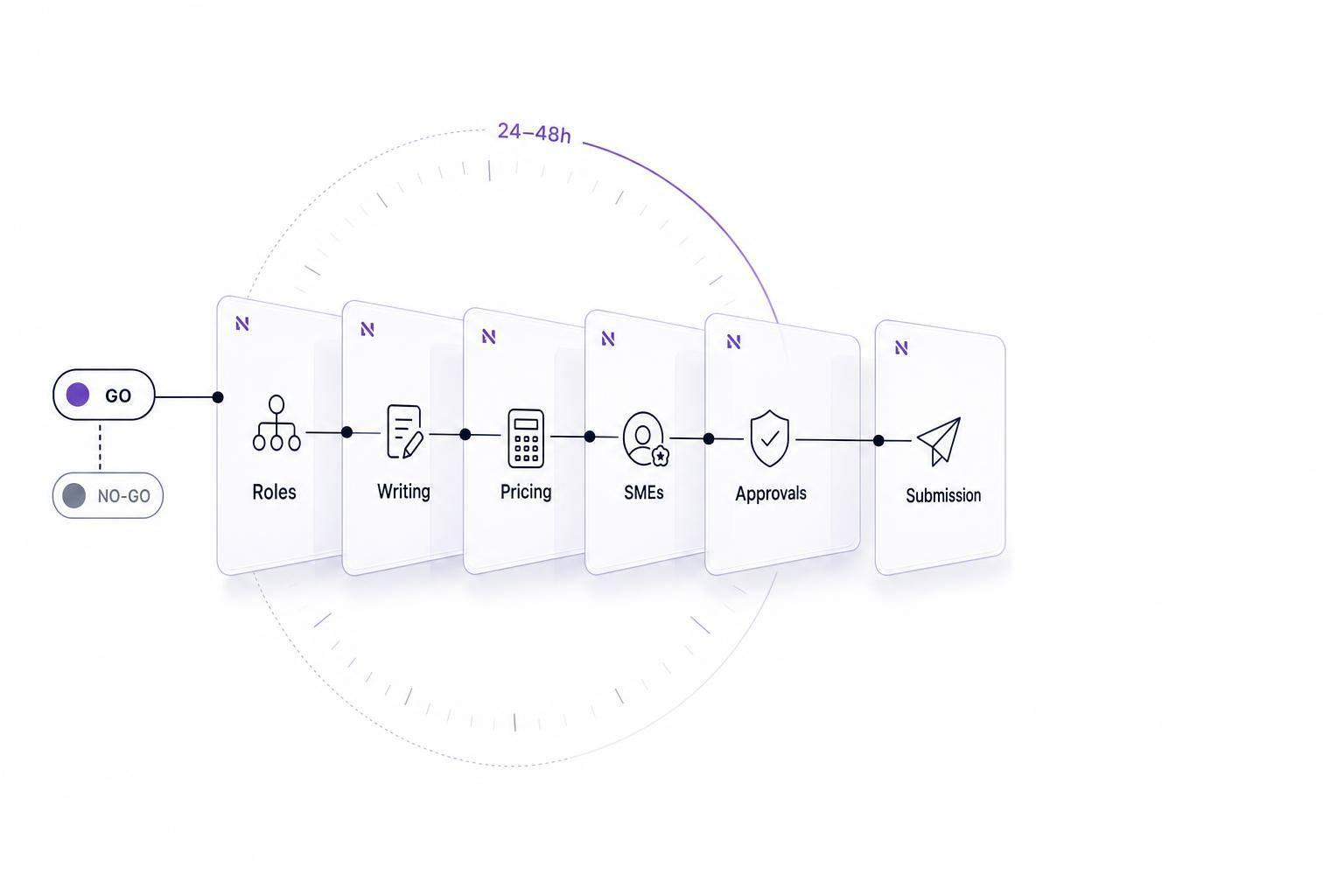
A bid is a no if your team can’t staff it. Before I spend time on outlines, writing, or pricing, I check six things: role coverage, writer time, pricing support, SME input, approvals, and submission setup.
Here’s the short version:
- If a core role has no named owner, I stop.
- If writers have no room in the bid window, I stop.
- If pricing support is thin, I stop.
- If SMEs or required licenses are missing, I stop.
- If approvers are unavailable, I stop.
- If the portal, files, or logins are not tested, I stop.
This matters because late bids are often rejected, and many teams run this check too late. In public bids, I want this review done within 24–48 hours of getting the solicitation. If a gap can’t be fixed within 24 hours, it’s usually a no-go. If the fix is clear and time-bound, I can mark it conditional go and set a deadline.
A simple staff-fit review helps me avoid the most common bid failures:
- no clear proposal owner
- overloaded writers
- weak pricing coverage
- thin technical sections
- late leadership sign-off
- portal or upload errors
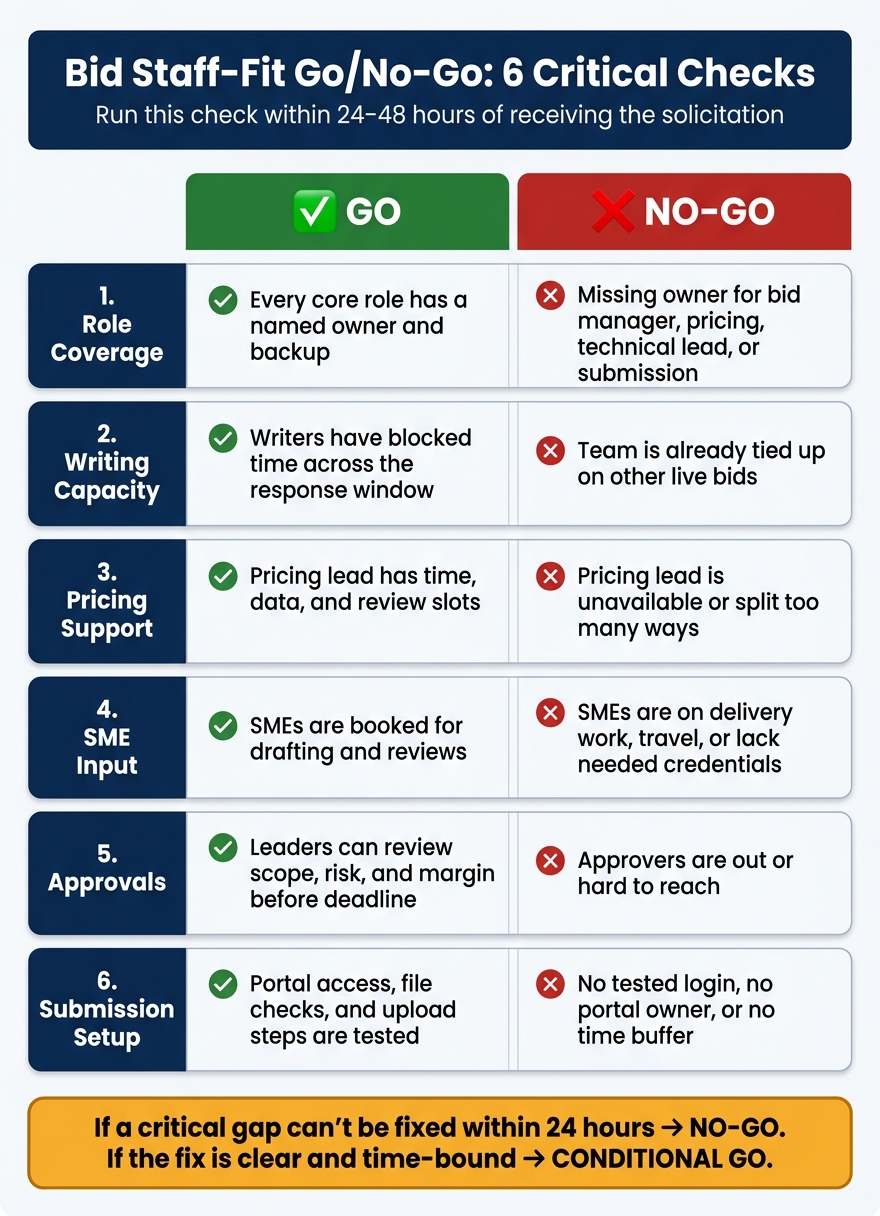
Bid Staff-Fit Go/No-Go Checklist: 6 Critical Checks
Quick Comparison
| Check | Go looks like | No-go warning |
|---|---|---|
| Role coverage | Every core role has a named owner and backup | Missing owner for bid manager, pricing, technical lead, or submission |
| Writing capacity | Writers have blocked time across the response window | Team is already tied up on other live bids |
| Pricing support | Pricing lead has time, data, and review slots | Pricing lead is unavailable or split too many ways |
| SME input | SMEs are booked for drafting and reviews | SMEs are on delivery work, travel, or lack needed credentials |
| Approvals | Leaders can review scope, risk, and margin before deadline | Approvers are out or hard to reach |
| Submission setup | Portal access, file checks, and upload steps are tested | No tested login, no portal owner, or no time buffer |
The rule is simple: if staff fit is weak, the bid is weak. So I make the call early, log the reason the same day, and move only when the team can write, review, approve, and submit on time.
sbb-itb-bb3960c
1. Confirm Role Coverage Before the Response Starts
Before you write a single line, assign a named owner to each role in the table. Not a department. Not a broad title. An actual person.
For a typical public bid in the U.S. or Canada, these are the main roles to lock in first:
| Role | What They Own | Status |
|---|---|---|
| Bid Manager | Schedule, coordination, compliance tracking | Covered / Not Covered / Backup Needed |
| Proposal Writer | Narratives, forms, section drafts | Covered / Not Covered / Backup Needed |
| Technical Lead | Solution approach, methodology, feasibility | Covered / Not Covered / Backup Needed |
| Pricing Lead | Cost model, rate sheets, pricing forms | Covered / Not Covered / Backup Needed |
| Compliance Reviewer | RFP instructions, mandatory forms, page limits | Covered / Not Covered / Backup Needed |
| Executive Approver | Scope sign-off, risk posture, margin approval | Covered / Not Covered / Backup Needed |
| Submission Owner | Portal uploads, file packaging, deadline confirmation | Covered / Not Covered / Backup Needed |
One person can handle two roles, but only if deadlines don’t collide and the workload is light. If that person is stretched thin, "covered" on paper doesn’t mean much.
Required Bid Roles
If any of the four core roles – bid manager, pricing lead, technical lead, or submission owner – doesn’t have a named owner, the default should be no-go unless an executive approves an exception.
Why? Because this is where bids often fall apart:
- No pricing lead means cost forms show up incomplete or out of line with the rules.
- No technical lead means the approach section feels thin and hard to verify.
- No submission owner means someone is scrambling for portal access at the last minute.
And here’s the part teams often miss: a role isn’t covered just because someone’s name is attached to it. If that person doesn’t have time to draft, review, or submit, the role is still at risk.
Backup Coverage for Absences and Conflicts
You also need a backup for each critical role. That backup should have bid context, calendar time, and portal access. If they can’t step in fast, they aren’t a real backup.
Set the handoff trigger early and brief the backup before the halfway point of the response window. At a minimum, assign backups for the bid manager, pricing lead, technical lead, and submission owner. Add the compliance reviewer when the instructions are complicated.
Public bid deadlines do not bend because your team is short-staffed. If no backup can submit, one last-day absence can kill the bid.
Once roles and backups are set, check whether the team has enough bandwidth to write, price, and review. If role coverage passes, move next to writing bandwidth and SME availability.
2. Check Writing Bandwidth, Pricing Support, and Technical Input
Having the right roles on paper is one thing. Having enough time and support to turn that team into a solid response is another.
That’s why writing bandwidth, pricing support, and technical input matter so much. These three checks often decide whether a bid is workable at all. Review all three before you commit.
Writing Bandwidth for Narratives, Forms, and Resumes
Start with the calendar. Proposal work can eat up dozens of hours, and the time needed climbs fast as the bid gets more complex.
Break the RFP into its main parts – executive summary, technical approach, management plan, staffing plan, past performance, key personnel resumes, forms, certifications, and attachments. Then estimate hours for each section. After that, compare the total against each writer’s actual availability during the response window, with regular work and other live bids already factored in.
You also need room for review cycles. Plan for at least three:
- an outline review
- a first-draft review
- a final edit
Space those reviews about a week apart. And set a pens-down deadline 12–24 hours before each one so someone can pull comments together before the next draft starts.
If your team can’t fit that into the schedule without burnout or constant late nights, writing bandwidth is a risk. In some cases, it’s a straight no-go trigger.
Narwin.ai can help map section complexity and draft baseline narratives.
If the writing load looks manageable, check pricing next.
Pricing Support for a Compliant Cost Model
Pricing is a separate job. It doesn’t just sit under writing, and it can’t be squeezed into leftover time.
A compliant cost model for a U.S. federal or Canadian provincial bid will often include labor categories, rates, indirects, subcontractor quotes, escalation assumptions, and pricing forms. That takes focused attention.
Make sure your pricing lead has enough blocked time for at least two pricing reviews: one for compliance and one for commercial soundness. If that person is already split across two or three other active bids, or if subcontractors still haven’t locked in their rates, the cost model is in trouble.
If pricing is covered, turn to SME support.
Technical Input from the Right Subject-Matter Experts
A technical narrative only works when the right subject-matter experts (SMEs) shape it. That means naming the exact profiles the RFP calls for – solution architects, cybersecurity specialists, licensed engineers, or construction superintendents – and confirming they each have set time blocked for the bid.
That time should cover:
- an early solution workshop
- drafting support
- Red Team review
Availability alone isn’t enough. You also need to confirm that required credentials are already in place. Many U.S. and Canadian public procurements require specific professional licenses, security clearances, ISO certifications, or agency-specific experience at the time of submission, not later at contract award.
If a mandatory credential is missing and there’s no realistic way to get it before the deadline, the bid isn’t workable – no matter how strong the rest of the response may be.
If even one of these three checks – writing, pricing, or technical input – falls short, treat it as a staff-fit failure unless leadership can add qualified help right away or make a clear mitigation call. A rushed response rarely beats a compliant, well-resourced proposal.
3. Verify Approvals and Submission Capacity
After you’ve checked role coverage, bandwidth, pricing, and SME input, look at one more thing: who can approve the bid and who can submit it.
This step gets missed all the time. And it causes good bids to fall apart at the last minute.
A bid isn’t staff-fit unless the people who sign off on it and send it in are also free to do their part.
Leadership Approval for Scope, Risk, and Margin
Start by naming the people who must approve the bid before it can move.
| Role | What They Review |
|---|---|
| Executive sponsor (VP, business unit leader) | Strategic fit, pursuit priority, teaming commitments |
| Finance leadership (CFO, controller) | Pricing model, margin thresholds, payment terms, cash-flow impact |
| Legal or contracts lead | Indemnities, liability caps, insurance, IP rights, data protection clauses, dispute mechanisms |
| Delivery/operations leader (PMO director, practice lead) | Delivery feasibility, staffing assumptions, site and staffing commitments |
A simple one-page approval pack usually does the job. Include:
- Deal summary
- Pricing overview
- Risk register
- Partner roles
Match the approval level to the size and risk of the bid. A smaller bid may only need sign-off from a business unit leader. A large framework contract may need the CFO, COO, and legal.
Also, don’t stop at naming the main approvers. Name deputies too, and set a written response deadline. If one person is out, the process shouldn’t stall.
Once the approval path is set, move to the people who will package and submit the bid.
Submission Readiness for Portals, Files, and Deadlines
Submission work needs clear owners before deadline day. Assign both a primary and a backup for these four roles:
| Role | What They Handle |
|---|---|
| Portal owner | Account access, vendor registration status, and portal access and account status |
| Proposal coordinator | Master checklist for forms, attachments, certifications, and signed documents |
| File uploader | File naming, file size checks, and file upload |
| Compliance checker | Amendment acknowledgments, required declarations, and mandatory fields |
If possible, run a short submission rehearsal with a dummy document. It’s a small step, but it helps you confirm portal access, file behavior, and upload steps before the real deadline.
Treat the stated closing time as fixed. Late bids are typically rejected.
Set an internal upload deadline well ahead of the close time, and give yourself a bigger buffer for complex bids. On the schedule, show the deadline in both the solicitation time zone and your team’s time zone. That’s the kind of detail that saves you from a painful last-minute mistake.
If there’s any approval or submission gap, record it for the final go/no-go call.
4. Make the Go/No-Go Decision and Record the Result
At this point, you need to make one final staff-fit decision and record it once. No second-guessing. No scattered notes across email, Slack, and spreadsheets.
A Simple Pass/Fail Rule for Staff Fit
Choose go only if every critical role has a named owner or an approved backup, the team has blocked time during the RFP window, and submission, approval, pricing, and SME coverage are all set.
If there’s a critical gap that can’t be closed within 24 hours, mark the bid as no-go or escalate it with the gap clearly documented.
For borderline cases, use a conditional go. This works when the gap is real but can still be fixed in time. For example, a pricing analyst may be out on leave, but an external consultant can step in within 48 hours.
When that happens, document:
- the exact gap
- the mitigation plan
- who owns the fix
- the deadline to close it
If the gap still isn’t closed by that deadline, change the opportunity to no-go.
Key Points to Carry Forward
Once you make the call, write down the reason the same day. Carry the decision forward with the gap, the owner, and the deadline tied to each open issue.
Document every decision. Record the outcome – go, no-go, or conditional go – along with the staff-fit rating, any gaps found, and who made the call.
Over time, this log shows patterns you might otherwise miss: recurring SME shortages for certain service lines, repeated pricing gaps on city-level bids, or submission issues tied to certain portals. That makes future go/no-go reviews faster and more consistent.
Narwin.ai can surface instant go/no-go signals from sources such as SAM.gov, CanadaBuys, and BCBid. Use it to filter out bids that fail the staff-fit check before drafting starts.
FAQs
What makes a gap a no-go versus a conditional go?
A gap is a no-go when it means you’re missing a mandatory requirement, like required security clearances, certifications, or critical past performance. In those cases, the opportunity can knock you out right away. These are binary, non-negotiable filters.
A gap is a conditional go when you meet the core requirements but still face risks you can manage. That might mean vague specifications, tight timelines, or the need for external teaming to cover capacity gaps.
How do I judge whether one person can cover two bid roles?
Use a RACI matrix to spell out who does what. Give each compliance requirement one named owner for drafting, based on that person’s skills and available time, not just their job title.
If one person ends up wearing a few hats, add a final two-person review. One person reads the requirements, and the other checks the draft to catch missed details or accuracy issues.
What should I do if a required SME credential is missing?
First, confirm whether the subject matter expert (SME) credential is mandatory. In government contracting, missing a mandatory requirement often leads to immediate disqualification.
If it is mandatory, treat the opportunity as a no-bid. If not, you may still have a path forward through external firms or subcontractors. Narwin.ai can help flag the gap early and assess whether to fix it or pass.